Are they old enough?

Navigating key online milestones with your child can be challenging. You can use this advice to help you.
Parents and carers play a key role in guiding their children as they first encounter the online world and begin to learn through exploration, play and social interaction. Often it starts with asking some important questions.
When is your child old enough to take their first online steps and begin to explore on their own? How soon are they ready for their own devices, such as smartphones? How do you guide young people who are reaching an age when they can gain access to certain social media platforms?
On this page:
Should my child be using online devices?
It’s important to protect children from online risks such as encountering harmful content, unsupervised contact with adults or missing out on physical activity. But it is up to you to decide when and how they take these first steps, and how best to support them as they begin their online journey.
Children often have access to connected devices like tablets and smartphones from a very young age. They might be watching a favourite program through streaming services, using educational apps or simply viewing photos with your family and friends. Research from 2020 by Australian Centre to Counter Child Exploitation (ACCCE) found 4 out of 5 children aged 4 are using the internet, and 30 percent of these children have access to their own device.
eSafety research in 2024 found 84% of children aged 8 to12 had used at least one social media or messaging service during the year, despite most platforms having a 13+ age limit.
Of these children, 40 percent had their own account on at least one service.
Most children (8 to 12) owned or had access to an internet-enabled device (smartphone, tablet, computer)1.
1 Children and social media - eSafety Commissioner (2024)
If you set some rules together, manage access and stay involved, children of all ages can enjoy the benefits of being online.
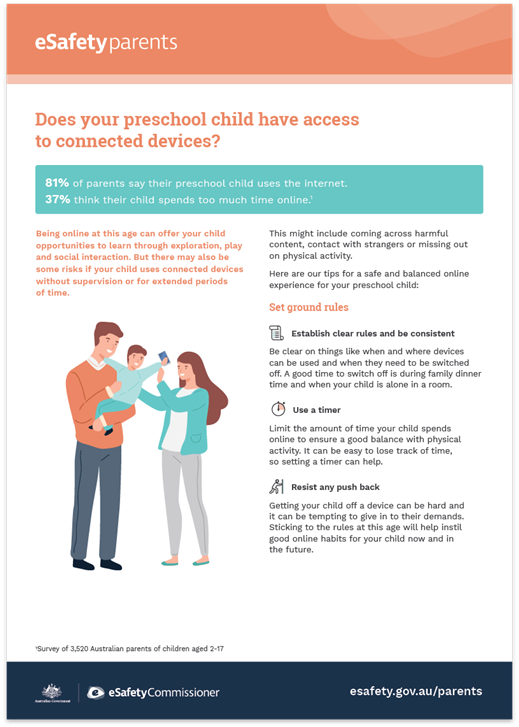
It’s a good idea to supervise their online activity, at least initially and certainly with younger children. Be clear on things like when and where online devices can be used and when they need to be switched off. The way a preschooler or younger child begins to use connected devices will instil good online habits from the start and help them transition to using messaging and gaming apps and social media later.
You can read our tips on online safety basics as well as more research about digital use among children aged 10 to 15. See also supervising preschoolers online and digital families.
How much time should my child spend online?
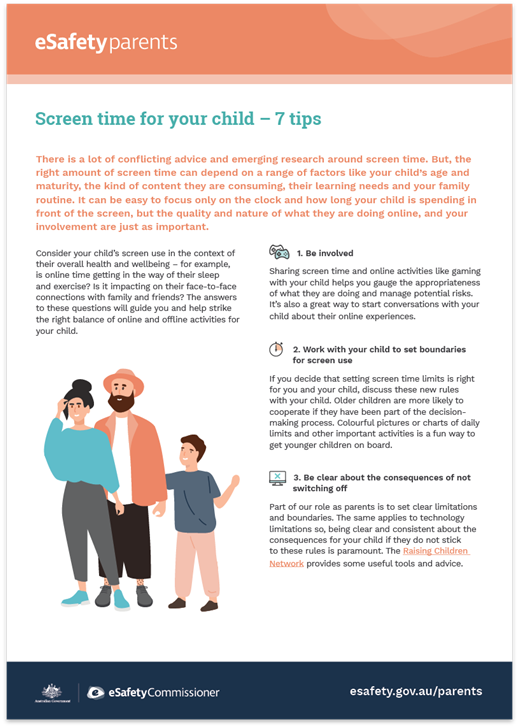
There is no magic figure. The right amount of time that children should spend online is debated. Choosing the right amount of screen time will depend on the individual needs of your child and your family.
When deciding how much time your child should spend online, consider the following factors:
- your child’s age and their maturity level
- their individual learning needs
- your family’s routine
- your level of involvement and interaction with them while they are online
- the quality and nature of what they are doing online.
It can be easy to focus only on the amount of time spent online, but the quality of the online content they are engaging with, and your involvement and interaction with them while they are online, is just as important.
For example, a 5-year-old can get a lot out of spending 30 minutes creating an artwork on a screen together with you. An activity like this, involving the imaginative use of shape and colour, can help them to develop their fine motor and conversational skills.
Our guide to screen time for parents and carers can help you work out a healthy balance across your child’s online and offline activities. It also includes the signs to watch out for if your child’s online activities may be having a negative impact on them.
How do I choose age-appropriate content?
Good-quality content can support your child’s learning, especially if it ties in with their interests or sparks their imagination.
The following sites can help you make informed decisions about your family’s entertainment choices.
- Check age ratings and consumer advice for apps and games on devices your children use via the App Store or Google Play. Visit the Australian Classification Board’s online database when reviewing movies and games.
- Explore eSafety's How to safely set up and choose games.
- Raising Children Network has advice about choosing video games, online games and apps.
- Children and Media Australia provides reviews of movies, apps and games, including gambling content advice, searchable by age and platform.
- Commonsense Media (US) offers a database of apps, games and websites searchable by age.
Is my child old enough for a smartphone?
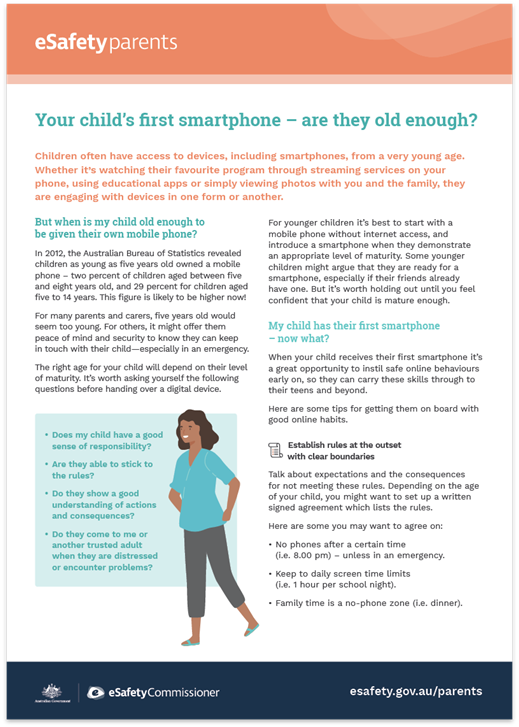
A smartphone is about much more than making phone calls. It allows your child to spend time online using their own device, rather than a shared family tablet or computer. It literally puts the online world in their hands.
For many parents and carers, giving a 5-year-old their own smartphone may seem like it is a step too far. For others, it might offer them peace of mind and security to know they can keep in touch with their child – especially in an emergency.
The right age for your child will depend on their level of maturity and your family routine. It is worth asking yourself the following questions before handing over a digital device.
- Does my child have a good sense of responsibility?
- Are they able to stick to the rules?
- Do they show a good understanding of actions and consequences?
- Do they come to me or another trusted adult when they are distressed or if they encounter problems?
- What are the rules about when and where my child can use their smartphone? For example, should it be limited to while they are away from the house or restricted from their bedroom at night?
For younger children it may be best to start with a mobile phone without internet access and only introduce a smartphone when they demonstrate an appropriate level of maturity. There's a range of mobile devices and settings that allow you to control which tools or services your child can access. For example, Apple has features to help manage screen time, restrict sensitive content and monitor app permissions. These features can support conversations with your child about what information they see and share and who can see it.
Some younger children might argue that they are ready for a smartphone, especially if their friends already have one. But it is worth holding out until you feel confident that your child is mature enough.
If you have a family tech agreement, it would be a good idea to go through it carefully with your child and look at the new responsibilities they are taking on with their own phone.
What are the benefits and risks for children using online platforms and services?

eSafety’s key topics section provides information about the various ways online services and platforms are used, including the benefits and risks for people of all ages. These are some of the biggest risks:
- Anonymous communication – this can make it difficult for children and young people to know who they are talking to, and if the person is safe.
- Location sharing – this can make children vulnerable to cyberstalking as well as in-person harms.
- Photo/video sharing – children and young people may be vulnerable to pressure to send or receive ‘nudes’ and other sexual material.
- In-game or in-app purchasing – some games and apps use deceptive design features to encourage excessive purchasing. Explore eSafety's gaming advice for parents and carers.
- AI assistants and companions – these tools have the potential to expose children to harmful content. eSafety research (2026) found that 1 in 5 children who had used AI assistants or companions were exposed to potentially harmful or inappropriate advice or interactions.
While the new social media minimum age restrictions aim to protect under-16s from pressures and risks they can be exposed to while logged in to social media accounts, no online platform or service is risk-free. Although under-16s won’t be exposed to as many of the high-pressure features that come with social media accounts, they will still be able to scroll content that doesn’t require being logged into an account.
Online harms can also happen on the alternative sites and apps that under-16s may use for connection, expression, information and entertainment. This includes messaging and gaming platforms. Talk to your child about staying safe online and respectful behaviour across all platforms. See eSafety's social media age restrictions and your family for more on the age restrictions.
Read more about:
Preparing for social media
Certain social media platforms aren’t allowed to let Australians under 16 create or keep an account. For more information, see the latest list. The delay gives you extra time to talk about online safety and wellbeing with your child, to help them prepare for the risks and pressures of social media when they turn 16. It’s breathing space for them to build digital, social and emotional skills, and to understand the importance of reaching out for help if things go wrong.
That said, children and young people can see publicly available social media content that doesn’t require logging into an account. It’s important to talk early about what they might see, and adjust the conversation as children grow and develop. Keep in mind that a young person’s maturity and resilience can affect their ability to have positive experiences online.
Supporting safer social media use
When a young person starts to use social media, involve them in decisions about how they use it. Help them to understand why and how you would like to support them as they begin to explore. It may be tricky having this conversation, but getting their agreement will keep the lines of communication open between you and ensure they feel able to come to you for help if they encounter any problems.
If your child is under 16, they may still ask about social media or use other apps with similar features. Explain why age restrictions exist and involve them in conversations about safe behaviour on messaging and gaming platforms and apps. This helps them develop habits they’ll need later for dealing with the pressures and risks on certain social media platforms.
Talk with your child about which social media platforms they would like to use. You might discuss the following:
- which types of content they can post – it is a good idea to look at examples together and discuss the pros and cons of different posts
- how often they should post
- how often you are comfortable with them checking social media
- creating a family tech agreement together.
It’s also useful to consider the following questions as you support a young person preparing to explore social media (or any online app, game or site).
Click or tap + to expand.
Are they willing to let you supervise their online activity?
How much you supervise your child’s online activity will depend on your family’s culture and the individual needs of your child. Be prepared for your child to need more support from you at times, and to resist your support at other times. Eventually they will be ready to explore on their own – but keep the lines of communication open so they can come to you with any concerns they may have.
You might ask to become their friend or follow their social media accounts. This will enable you to observe what they are doing online and support them to make safer choices about what they share and how they share it. But be prepared to learn more than you might like about their friends and possibly about them.
Try to resist talking about the specifics of their online activity unless you are worried about things they have posted – and keep your own comments offline. It is much better to start the chat in person, one-on-one, and let them guide the discussion if specific issues come up, than it is to post online safety tips in comment form. If you intervene too much or comment publicly, it can embarrass them and break their trust. This may prompt them to use a separate profile without your knowledge or restrict what you can see by sharing to restricted groups of friends or followers, before you think they are ready to use social media on their own.
Do they understand the risks online?
Your child will be safer online if they understand the risks. As well as your own protective strategies, such as using parental controls, you can empower your child to protect themself by having age-appropriate conversations about the risks they might face. For example, how well do they understand that someone they meet online might not be who they seem? Do they know what sort of information might be safer to share, and what is riskier?
It is important that they understand the behaviours that are the highest risk, such as sharing nude or sexually suggestive images or videos, meeting online friends in person, and behaviour that may be considered cyberbullying.
For advice on how to start the conversation, see our pages on the hard-to-have conversations, talking with 0 to 12 years olds about child sexual abuse online, and talking with 13 to 18 year olds about child sexual abuse online.
Do they understand the importance of protecting their personal information?
Explaining why privacy is important can be difficult. Start by reminding them what personal information is. Emphasise that it includes anything that can identify them, such as their mobile number, email address, photos, the name of their school and any sporting clubs they belong to. Remind them that photos and videos can show details or backgrounds that could be used to identify them or their location, such as their house or school crest. Sharing a location by 'checking in' online, or tagging people in photos, can also give away more information than necessary.
Let them know that if they share personal information online, it could mean that others (including strangers) use it in ways they may not have thought about. Someone could even post bullying messages or inappropriate photos on social media while pretending to be them.
See privacy and your child for more tips on this.
Do they understand how privacy settings work?
Show the young person how you can adjust the privacy settings for each of the platforms and apps you use. Talk about the settings you have selected for your accounts and why you chose them. You can find advice on privacy settings in The eSafety Guide.
If you would like help with technology, including how to use social media services yourself, Be Connected provides step-by-step advice on the basics and more.
Do they know how to deal with negative online experiences?
If you think the young person would be very upset by a negative experience online, you may need to have an open and honest conversation with them about which platforms and apps, if any, are right for them.
Look through online profiles and public feeds together and talk about how some people behave differently online. Teach them how to delete abusive comments, and report and block people – The eSafety Guide has tips for common apps, games and sites.
Do they know how to report abuse?
Together with the young person, check the safety resources for individual services and platforms and look for information about how to report and block other users – you can find tips in The eSafety Guide for various apps, games and sites.
Also discuss how to report abuse to eSafety. In the most serious cases, we can help remove content and stop the abuse.
- Cyberbullying – when someone uses online content or communication to seriously humiliate, seriously harass, seriously intimidate or seriously threaten a child or young person under the age of 18.
- Image-based abuse – when someone shares, or threatens to share, an intimate photo or video of a person without their consent, no matter what their age.
- Illegal and restricted online content (such as material that shows or encourages child sexual abuse, terrorism or other extreme violence).
- Child sexual abuse online – any sexual activity between a child and an adult is child sexual abuse. Sexual activity may be sexual intercourse, sexual touching or sexual acts that happen in person or online, including sexting.
Find out more about how to make a report to eSafety.
Resources for parents
Get help and support
Raising Children Network
Advice for parents and carers, including articles, videos and apps backed by experts.
Kids Helpline
5 to 25 year olds. All issues. Confidential phone counselling available all day, every day. Online chat available 24/7, 365 days a year.
Last updated: 10/09/2026