

Unwanted contact and grooming – facts and teaching scenarios
Key points
- Online grooming is when abusers say and do things to manipulate and control a child or young person under 18 to gain their trust and/or compliance so that they can sexually abuse and/or exploit them.
- Sometimes children and young people can also be groomed for financial exploitation, involvement in crime, or extremist activities.
- The eSafety Guide includes information on app features that can increase the risk of exposure to online predators, such as chat functions, direct messaging, and location sharing.
- eSafety Education has resources to help teachers embed online sexual abuse and exploitation prevention in the curriculum.
- All students need to be taught specific technical, personal, and social skills to help avoid online abuse.
Facts and stats
Unwanted contact
Unwanted contact is online communication that has not been initiated by the targeted child. It can be from someone known to the child or someone they have not met. It can include text messages, new friend requests, or contacts made in online games. These may be single or repeated contacts.
Watch this case study about unwanted contact.
Online grooming is intended to:
- Gain access to a child or young person to perpetrate harm
- Obtain trust and/or compliance
- Obtain sexual material
- Maintain their silence
- Avoid discovery
eSafety research
A significant minority of Australian children have experienced online grooming-type behaviours1.
Notes
1 eSafety Commissioner. (2025). Digital use and risk: Online platform engagement among children aged 10 to 15. Australian Government.
2 eSafety Commissioner. (Forthcoming). Connected, curious, cautious: Children’s engagement in the digital world. Australian Government.
3 eSafety Commissioner. (2025). How common is non-consensual tracking, monitoring and harassment among children in Australia? Australian Government. /node/2072
How to report and block
Reporting to police
Online child sexual abuse and exploitation, including online grooming and inappropriate contact, should be reported to the Australian Federal Police-led Australian Centre to Counter Child Exploitation (ACCCE).
For emergency situations, call Triple Zero (000). For non-emergency situations that still require a police response, contact your local police (131 444).
Making a complaint to a platform
Sexually suggestive comments and messages or requests for intimate images should be reported to the platform or service, even if the person or account is blocked, so they can’t make contact again.
Reporting this kind of contact makes the internet safer for everyone.
Even if a user is under 16 and the contact happens on an age-restricted social media platform, they can report it to the platform and will not get into trouble for being on the platform. It is up to age-restricted platforms to take steps to prevent underage accounts.
Find out how to report to platforms and block accounts by checking The eSafety Guide.
Report to eSafety
You can report illegal and restricted content, including child sexual exploitation material, terrorism and other extreme violence, to eSafety via the ‘report abuse’ portal.
You can also report content which should not be accessed by children, such as simulated sexual activity, detailed nudity, or high-impact violence.
All reports about illegal and restricted online content can be made anonymously – that means you don’t have to give your name or contact details when you report it.
App features that increase the risk
The eSafety Guide has information to help students, educators and families stay safer online and provides advice about how to report and block unwanted contact and sexual approaches.
Online chat and video chat
A messaging or online chat platform lets you communicate online in real-time. You can share texts, photos, videos and other types of files. These platforms allow you to talk and respond quickly, like a spoken conversation. The communication can be:
- one-on-one or among a group of people
- between people known to each another
- between strangers.
Depending on the online service or platform you’re using, and your account settings, the messages or chat history may be publicly available online.
There are lots of different functions available in these apps and online services, including video and voice chat, photo and video sharing and location sharing. Video chat uses your device’s camera and screen to call and see a person. Unlike live streaming, the other person can see and talk to you.
You can also use the voice chat function to let people talk in real time to each other (without a camera) over the internet, by accessing the speakers and microphone in your device – the same way that you use your phone.
Go to The eSafety Guide for further details.
Location sharing
Location sharing is when a digital device or online service enables tracking where you are, where you’ve been, or where you’re going. This is often done live using a data network that connects navigation satellites (GPS is one example).
Some apps are built specifically to provide location sharing features. But almost any online platform or service that allows you to share content or communicate with other people may reveal your location, either intentionally or without realising it.
Risks of sharing your location include people who may see more about a child or young person than they know or intend; location information may be used to groom children including teens, and their data may be used to manipulate or coerce them.
Depending on the settings available, you may be able to select whether to share your location, who to share it with and when to share it.
Go to The eSafety Guide for further details.
eSafety resources – unwanted contact and grooming
The eSafety website includes advice for kids, young people or adults about dealing with unwanted contact.
Primary
Mighty Heroes (animated series)
Keep it Sweet Online (slide deck and lesson plans)
Cybersmart Challenge (videos and lesson plans)
Secondary
Young and eSafe (videos and lesson plans)
Online dating (video)
Emily's story (video and web content)
Resources for parents
Parental controls (advice on safe searching and device filters)
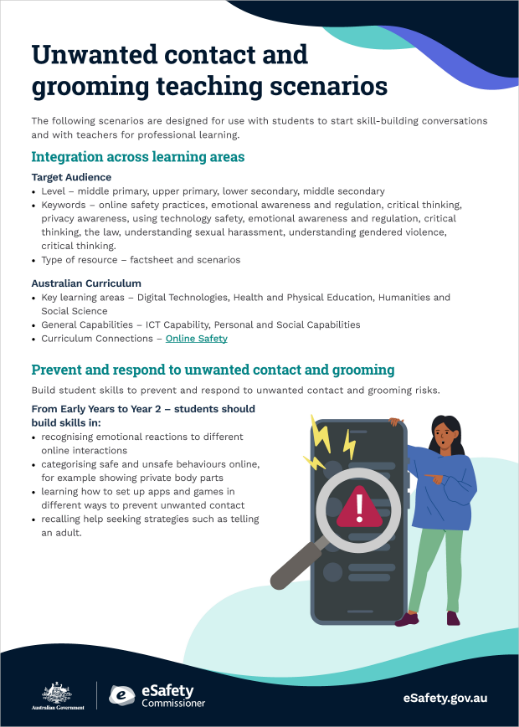
Unwanted contact and grooming teaching scenarios
The following scenarios are designed for use with students to start skill-building conversations and with teachers for professional learning.
Integration across learning areas
Target Audience
- Level – middle primary, upper primary, lower secondary, middle secondary
- Keywords - online safety practices, emotional awareness and regulation, critical thinking, privacy awareness, using technology safety, emotional awareness and regulation, critical thinking, the law, understanding sexual harassment, understanding gendered violence, critical thinking.
- Type of resource – factsheet and scenarios
Australian Curriculum
- Key learning areas – Digital Technologies, Health and Physical Education, Humanities and Social Science
- General Capabilities – ICT Capability, Personal and Social Capabilities
- Curriculum connections – Online Safety
Prevent and respond to unwanted contact and grooming
Build student skills to prevent and respond to unwanted contact and grooming risks.
From Early Years to Year 2
Students should build skills in:
- recognising emotional reactions to different online interactions
- categorising safe and unsafe behaviours online, for example showing private body parts
- learning how to set up apps and games in different ways to prevent unwanted contact
- recalling help seeking strategies such as telling an adult.
Years 3 to 6
Students should:
- identify warning signs that an online friend might be unsafe to talk to
- recognise situations that might increase their exposure to inappropriate contact from adults, for example switching from a public conversation in an online forum to chatting privately
- analyse the benefits and risks of different privacy settings and adjusting them in specific ways, for example having a public YouTube channel compared to your contact being listed publicly on WhatsApp
- practice strategies for refusing to engage in unsafe behaviours online such as requests for nude images or sexual advances
- describe how to report grooming offences on social media
- understand the value of online support services to help them understand and process instances of sexual contact online.
Years 7 to 10
Students should:
- understand the nature and legislation relating to grooming and sexual harassment online
- recognise their own emotional responses to grooming and sexual harassment situations online
- regularly review and update their privacy settings and adjust them in specific ways, for example having a public YouTube channel compared to your contact being listed publicly on WhatsApp
- locate a variety of sources of support if they experience grooming or sexual harassment online.
Scenarios
How to use these scenarios
Use the scenarios with students or with teachers for professional learning.
The scenarios include questions and discussions about online safety incidents. As with child protection training, this material is important for you to know about. You are encouraged to take care of yourself and others and reach out to school and/or sector support services as needed.
Using the scenarios in professional learning
- Discuss the individual scenarios using the questions as a basis for discussion.
- Work in groups and identify where in the curriculum students can be taught skills to protect them from risk.
- Use the scenarios for parent information evenings to build parent skills and knowledge.
Using the scenarios with students
- Provide students with the scenarios to read, either in groups or individually.
- Students look at the scenario from the character's perspective and answer the questions provided.
- Once the students have read the scenario ask them to reflect on their own skills in managing this type of online risk.
1. Let’s play (primary)
Name: Mandy
Age: 7
Mandy has started playing an online game that includes chatting with people she doesn’t know outside of the game. It’s fun and her big brothers do it all the time, so she thinks it must be safe. The game has an age recommendation of 7+.
Is it safe for Mandy to chat with people she doesn’t know in the game? When should she stop playing?
Possible responses:
- According to the game rules it is OK for Mandy to play because it is available for players over 7.
- Mandy should not be chatting to strangers because the game rules say that under 13s should not participate in open chatting.
- Mandy could change the game settings so she can chat in a private group or ‘party of friends’ and she should only accept friend requests from people she knows offline.
- Mandy should stop playing if anyone in the game behaves in a way that is inappropriate for her age.
Teachers can help Mandy and other students be prepared for this online risk by:
- discussing social media and gaming age restrictions and the benefits and risks of being online.
- showing students how they can develop skills for being online and for games that have chat/messaging, including making sure only real friends can chat with them
- letting students know that if they feel uncomfortable in any way they should stop playing and tell a trusted adult
- organising opportunities to play in safe, moderated, age-appropriate spaces – for example, gaming or online activities in class
- demonstrating how to collect evidence, report, and block users online.
2. Karaoke (secondary)
Name: Raffi
Age: 13
Raffi has been sharing singing videos on a karaoke app and has been invited to make a duet with a stranger. They love the same singer. Raffi’s duet partner then invites her to sing a song with very adult themes. She loves the song but is embarrassed and thinks she would get in trouble if anyone in her family was sent the link to view it.
What things should Raffi consider before she accepts the invitation?
Possible responses:
- Raffi should stop and listen to her feelings. If she feels uncomfortable, she should problem-solve with a trusted adult about the situation.
- Raffi should think about what she knows about the person. Who are they? How does she know them? How old are they? Can she be sure the information they have given about themselves is not fake?
- Raffi should think about how she would feel if her family saw her singing this song.
Teachers can help Raffi and other students be prepared for this online risk by:
- explicitly including online safety in child protection/personal safety lessons
- helping students recognise grooming behaviours so they can better protect themselves online
- showing students how to set up their device for safety, including controlling who can see information they post.
3. We match (secondary)
Name: Andy
Age: 18
Andy is in year 12 and has been finding it hard to find someone to date. No one seems interested in him at his school and he is quite shy. His friend suggests using a dating app. He is surprised to find a match on his first day.
What protective measures should Andy think about before he gets involved?
Possible responses:
- Andy needs to think about whether he is comfortable talking to someone he has never met.
- Andy needs to consider what he could share that will not compromise his safety.
- Andy needs to know if he can verify who the other person is.
- Andy needs to seek out a support network who can help him.
- Andy should not meet this person without considering the best ways to keep himself safe.
Teachers can help Andy and other students be prepared for this online risk by:
- explicitly including online safety examples in respectful relationships/child protection/personal safety lessons
- helping student recognise issues such as catfishing if online dating, so they can better protect themselves online
- creating a safe and respectful classroom environment so students feel comfortable discussing these types of issues
- investigating wellbeing and support services for young people as part of teaching and learning activities
- supporting students’ digital literacy and sharing eSafety’s Young People
- explaining that how we present ourselves online carries benefits and risks
- discussing the laws that govern online behaviour and how they inform us what is acceptable or legal (for example, sending nudes or sexting, trolling, harassment and stalking).
Download the teaching scenarios
Last updated: 07/08/2026