

Webinars for schools
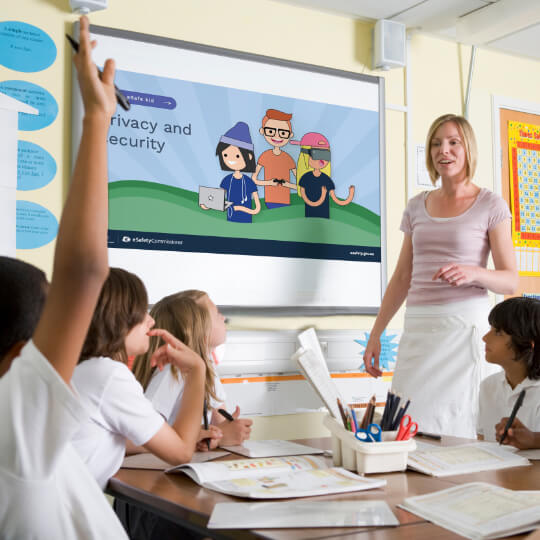
eSafety's expert trainers deliver live online safety lessons to schools via Virtual Classroom webinars.
We work with the three education sectors to deliver webinars nationally including to regional and remote areas. Different topics are run throughout the year, covering a range of current online safety issues. The advice is informed by the latest research and intelligence from our investigation teams and eSafety's Best Practice Framework for Online Safety Education.
Our Virtual Classroom webinars are live video sessions where a trainer talks through a slide deck presentation and facilitates student interaction using moderated chats and polls. Students usually participate in their school classroom using a smartboard, guided by their teacher.
The webinars run for approximately 20 to 45 minutes and include resources and links to additional information and support.
Virtual Classrooms for 2026
Looking to host a virtual classroom for your students during Term 4? Join schools from across Australia for our online safety sessions for Years 3 and 4 and Years 5 and 6.

Be an eSafe kid: Power up your protection online
Be an eSafe kid: Safer gaming with the Mighty Heroes


Recognise stereotypes and peer pressure
Be an eSafe kid: Your choices in chats!

Virtual classrooms for 2027
Looking to host a virtual classroom for your students during Safer Internet Day 2027? Join schools from across Australia for our online safety sessions for Years 3 and 4 and Years 5 and 6.
Subscribe to eSafety’s Education news to be the first to hear when 2027 dates and registration are released.
How to talk safely with tech
A new, live and on-demand Virtual Classroom for Years 3 and 4. Students will explore a scenario involving the use of an AI voice assistant in the home. They will learn how to recognise why information needs to be checked, how to find reliable information, and how to manage emotions.
Investigating AI assistants and trusted information
A new live Virtual Classroom for Years 5 and 6. Students will examine scenarios involving the use of AI assistants in classroom and home settings. They will develop skills to assess the accuracy of information, understand how their interactions contribute to their digital footprint, and seek support when needed.
Recognise stereotypes and peer pressure
Designed for years 5 and 6 and available on-demand. In this webinar, students will learn how to recognise stereotypes and peer pressure, and where to seek help and support.
Technical note
Our Virtual Classroom webinars are delivered via GoToWebinar. This platform supports anonymous participation and helps create a safer learning environment for students.
As individual student connections are not permitted, teachers attend on behalf of their classroom and facilitate any student participation during the session.
Prior to the webinar, we encourage teachers to liaise with their IT support to ensure they can access the GoToWebinar platform and that their classroom equipment meets the required specifications. You can also check the system requirements, and see eSafety's webinar support and troubleshooting information if you need help accessing the webinar.
Our school webinars are designed for one teacher registration per classroom. Each teacher must register separately and should not share their registration link with other teachers, as this may prevent access to the webinar. Individual student connections will not be accepted.
WATCH NOW: Virtual Classroom webinars
Other education resources
eSafety no longer delivers face-to-face presentations in schools. You can check our list of Trusted eSafety Providers to find a company or organisation that does provide face-to-face presentations.
You can also access eSafety’s wide range of online safety classroom resources. Some past Virtual Classroom webinars are released as resources for teachers to use in the classroom.
For professional development that keeps you up-to-date with the latest online safety issues and strategies, you can access our free professional learning program for teachers.
Our advisories provide guidance on emerging online safety issues. Read our latest advisory, Sharing school photos and videos: AI risks, deepfakes, and how to protect students and staff.
Social media changes
Find out more at eSafety’s What do the social media age restrictions mean for educators.
Last updated: 25/10/2026